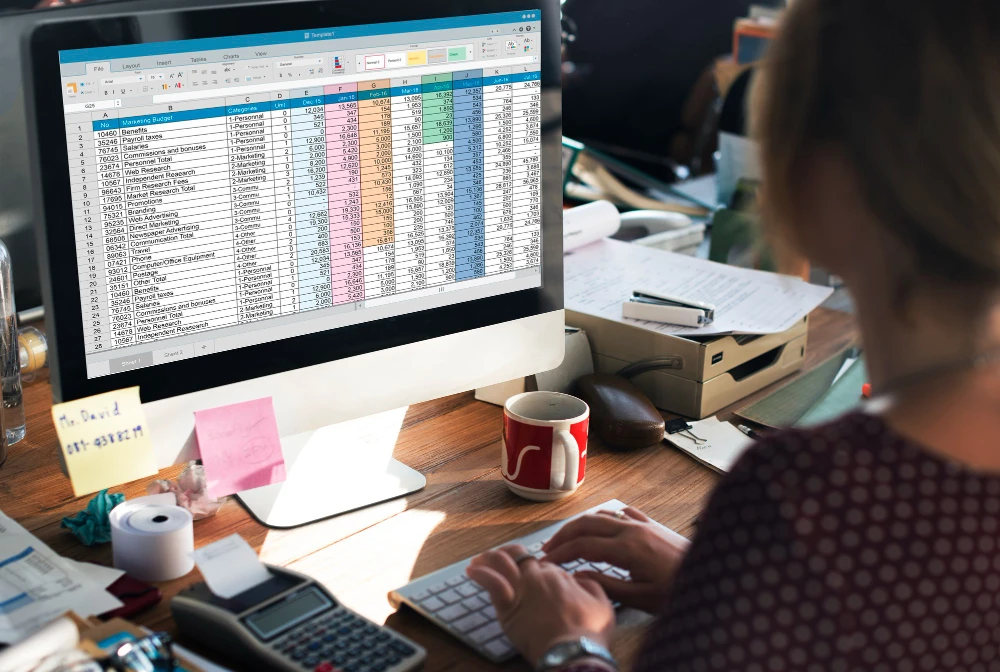
Managing your money well is key to financial stability. This is true whether you’re handling your own spending or a small business’s finances. Keeping everything organized is essential.
Creating a budget template can make things easier. It helps you track your spending and reach your financial goals.
Using a spreadsheet for budgeting lets you customize it to fit your needs. With tools like budgeting with Excel, managing your money becomes easier.
This article will show you how to plan your finances effectively. You’ll learn how to create a budget that works for you.
The Power of Spreadsheets for Financial Management
Spreadsheets are a key tool in personal finance. They help track expenses, create budgets, and set financial goals. This makes them very useful for managing money.
Why Spreadsheets Are Ideal for Budgeting
Spreadsheets are great for budgeting because they can be customized. Users can make budget templates that fit their financial needs. This makes it easier to follow a budget.
Benefits of Digital Budget Tracking
Digital budget tracking with spreadsheets has many advantages. It includes automatic calculations and real-time updates. It also lets users analyze data with charts and graphs. This helps understand financial situations better.
How Spreadsheets Compare to Budgeting Apps
Budgeting apps are easy to use and accessible. But spreadsheets offer more control and customization. Here’s a comparison:
| Feature | Spreadsheets | Budgeting Apps |
| Customization | Highly customizable | Limited customization |
| Automatic Calculations | Available through formulas | Automatically handled |
| Data Analysis | Advanced analysis through charts and graphs | Basic analysis, often limited |
Spreadsheets are a powerful tool for managing finances. They offer a balance of control and automation that budgeting apps can’t match.
Essential Budgeting Concepts Before You Start
Before you start budgeting with spreadsheets, it’s key to understand some basic concepts. Knowing these will help you make a budget spreadsheet that truly shows your financial situation.
Understanding Income vs. Expenses
The core of a good budget is knowing the difference between income and expenses. Income is the money you make, and expenses are the costs you pay. To budget, you must track both to see where your money goes.
Fixed vs. Variable Expenses
It’s important to split your expenses into fixed and variable costs. Fixed expenses stay the same every month, like rent or mortgage. Variable expenses can change, like dining out or entertainment. Knowing this helps you make better financial choices.
| Expense Type | Examples | Budgeting Consideration |
| Fixed | Rent, Mortgage, Utilities | Consistent monthly payments |
| Variable | Dining Out, Entertainment, Groceries | Can be adjusted based on financial goals |
The Importance of Emergency Funds
An emergency fund is vital for financial stability. It acts as a safety net for unexpected costs, preventing debt and keeping you on track with your finance planning.
Setting Realistic Financial Goals
Setting realistic financial goals is crucial. Whether it’s saving for a big purchase, paying off debt, or growing wealth, your goals will shape your excel budget. They keep you motivated to follow your budget.
Choosing the Right Spreadsheet Platform
Choosing the right spreadsheet software is key to successful budgeting. There are many options, each with its own features and benefits. It’s important to find the one that best fits your financial needs.
Microsoft Excel vs. Google Sheets
Microsoft Excel is great for complex budgeting tasks with its advanced features. Google Sheets, on the other hand, is perfect for sharing budgets and accessing them from anywhere. It’s great for real-time collaboration and cloud-based access.
Other Spreadsheet Options
There are other spreadsheet software like LibreOffice Calc and Apple Numbers. They also have strong budgeting features. They might be good options depending on your specific needs and what you already use.
Desktop vs. Cloud-Based Solutions
Think about whether you want a desktop app or a cloud-based solution. Desktop applications like Excel are good for offline use. Cloud-based solutions like Google Sheets are great for collaboration and automatic backups.
Mobile Access to Your Budget Spreadsheets
Having your budget on your phone is important today. Both Excel and Google Sheets have mobile apps. This lets you check and update your budget anywhere, keeping you on top of your finances.
How to Budget Using a Spreadsheet: Step-by-Step Guide
Using a spreadsheet for budgeting is easy and effective. It lets you control your money and make smart choices.
Setting Up Your Basic Budget Structure
First, set up your budget spreadsheet’s basic structure. Choose a layout and decide on columns and rows. You’ll need columns for date, category, income, expenses, and balance.
Open your spreadsheet software and make a new sheet. Name your columns: ‘Date’ in A, ‘Category’ in B, ‘Income’ in C, ‘Expenses’ in D, and ‘Balance’ in E.
Creating Income and Expense Categories
It’s important to categorize your income and expenses. Common categories are housing, utilities, groceries, transportation, and entertainment.
- Make separate sections for different categories to stay organized.
- Start with income and fixed expenses.
- Don’t forget a savings category to save for the future.
Adding Formulas for Automatic Calculations
Spreadsheets are great for automatic calculations. This saves time and reduces mistakes.
SUM, AVERAGE, and IF Functions for Budgeting
The SUM function adds up your income and expenses. The AVERAGE function shows your monthly expenses. The IF function highlights when you spend too much.
Creating Monthly and Annual Totals
Use formulas to sum up your monthly and annual income and expenses. This helps you see trends and plan for the future.
Visualizing Your Budget with Charts and Graphs
Charts and graphs can give you insights into your budget. They show income vs. expenses, savings, and more.
By following these steps, you can make a detailed budget spreadsheet. It will help you manage your money well.
Popular Budgeting Methods for Your Spreadsheet
Spreadsheets are great for budgeting. They help you organize your money using methods like the 50/30/20 rule. This rule is simple but effective for dividing your income into different areas.
The 50/30/20 Rule Implementation
The 50/30/20 rule says to spend 50% on needs, 30% on wants, and 20% on savings and debt. To use this in your spreadsheet, start by setting up categories for these areas.
Setting Up Categories for Needs, Wants, and Savings
Make separate columns or sheets for ‘needs’, ‘wants’, and ‘savings’. This helps you see where your money goes and make changes if needed.
Creating Formulas to Track Your Ratio
Use formulas to automatically figure out how much of your income goes to each area. For example, if you make $4,000 a month, a formula can show if you’re spending too much on ‘needs’. This keeps you on track.
Zero-Based Budgeting in Spreadsheets
Zero-based budgeting means every dollar is spent on something specific. Your income minus expenses should equal zero. In a spreadsheet, you can make a detailed budget where every dollar is used.
Envelope Method Using Digital Categories
The envelope method divides your money into categories like housing and food. You set a cash limit for each. In a spreadsheet, you can use digital ‘envelopes’ to track your spending.
Using these budgeting methods in your spreadsheet can give you a clear view of your finances. It helps you make better money choices.
Free Budget Templates You Can Download Today
Creating a budget is easy with the many free budget templates for Excel and Google Sheets. These templates help you track your income and expenses. This makes managing your money simpler.
Monthly Budget Templates for Excel and Google Sheets
There are many templates for a detailed monthly budget. They work for both Excel and Google Sheets. These templates have spaces for income, fixed and variable expenses, and savings. They help you understand your financial status.
Annual Budget Planners with Projection Features
Annual budget planners are great for long-term planning. They let you forecast your finances for the next year. This helps you make smart money decisions.
Debt Reduction and Snowball Method Spreadsheets
For those paying off debt, there are special templates. They use the snowball method to help you tackle your debts one by one. These spreadsheets create a plan to help you become debt-free.
Savings Goal Trackers with Visual Progress Indicators
Tracking your savings can be motivating. Templates with savings goal trackers show your progress with charts or graphs. This helps you see how close you are to reaching your goals.
How to Customize Templates to Your Needs
While templates are useful, making them your own is key. You can change categories, add or remove sections, and adjust formulas. This ensures the template fits your financial situation perfectly.
| Template Type | Platform | Key Features |
| Monthly Budget | Excel, Google Sheets | Income tracking, expense categorization |
| Annual Budget Planner | Excel | Projection features, long-term planning |
| Debt Reduction | Google Sheets | Snowball method, debt prioritization |
| Savings Goal Tracker | Excel, Google Sheets | Visual progress indicators, goal setting |
Using these free budget templates can make managing your finances easier. They help you reach your financial goals more efficiently.
Advanced Spreadsheet Budgeting Techniques
Advanced spreadsheet budgeting techniques can greatly improve your financial management. They offer deep insights and help you make better financial decisions.
Creating a Rolling Budget
A rolling budget is a flexible budgeting method. It updates your budget as your finances change. To set up a rolling budget, use formulas that adjust automatically based on the date.
Benefits of a Rolling Budget: It adapts to financial changes, reduces the need for frequent updates, and gives a more accurate forecast.
Forecasting Future Expenses
Forecasting future expenses is key for good budgeting. Use historical data and spreadsheet functions like regression analysis to predict expenses. This helps you plan and adjust your budget.
- Use historical data to identify trends.
- Apply forecasting formulas to predict future expenses.
- Regularly review and adjust your forecasts.
Using Conditional Formatting for Visual Alerts
Conditional formatting is a powerful tool in spreadsheets. It highlights important information visually. Use it to create visual alerts for budget areas needing attention.
Color-Coding Overspending Categories
Color-coding overspending categories is a great use of conditional formatting. Set rules to change cell colors based on spending levels. This makes it easy to spot areas needing adjustment.
Setting Up Budget vs. Actual Comparisons
Conditional formatting is also useful for comparing budgeted amounts to actual spending. It highlights discrepancies, helping you manage variances and improve budgeting accuracy.
Linking Multiple Sheets for Comprehensive Financial Tracking
Linking multiple sheets in your spreadsheet offers a comprehensive financial view. It combines data from different budget categories or financial accounts into one summary.
Tips for Effective Linking: Keep your sheets organized, use clear names, and update links regularly to reflect changes in your spreadsheet.
Automating Your Budget Spreadsheet
Automating your budget spreadsheet can change how you manage money. It makes budgeting easier, cuts down on mistakes, and gives you deeper insights into your finances.
Setting Up Recurring Expenses
One easy way to automate your budget is by setting up recurring expenses. This means adding regular payments like rent, utilities, and subscriptions. It keeps these costs in your budget without needing to enter them every month.
To set up recurring expenses, use formulas to fill in future budgets with past data. For example, the IF function can help mark or enter these expenses automatically.
Creating Macros for Regular Budget Tasks
Macros are great for automating tasks in your budget spreadsheet. A macro is a set of instructions that can be done with one command. They help with tasks like entering data, formatting, and calculations.
To make a macro, you’ll need to use the macro editor in your spreadsheet software. Here, you can record or write a script for your task. For instance, you can make a macro to update your budget categories at the start of each month.
Importing Bank Statements and Credit Card Data
Importing financial data into your budget spreadsheet saves time and reduces errors. Many banks let you download your transaction history in spreadsheet-friendly formats.
Use your spreadsheet’s import functions to bring in this data. It helps update your expense tracking and budget categories. Some templates also have tools or add-ons for easier financial data import and categorization.
Scheduling Regular Budget Reviews
Even with automation, it’s key to regularly check your financial data. Regular budget reviews help you track spending, find ways to save, and adjust your plans as needed.
Set reminders in your calendar for budget reviews, like monthly or quarterly. During these, you can look at your spending, update your budget, and tweak your financial plans if needed.
Common Spreadsheet Budgeting Mistakes to Avoid
Using a spreadsheet for budgeting can really help with money management. But, there are traps that can mess up your plans. Knowing these common mistakes can save you from financial trouble.
Overcomplicating Your Budget Structure
Don’t make your budget too hard to follow. Too many categories or complex formulas can confuse you. Keep it simple for better results.
Forgetting to Update Regularly
Keeping your budget up to date is key. If you don’t, your numbers won’t be right. This can lead to bad money choices.
Not Backing Up Your Financial Data
Not saving your budget can mean losing your money info. Always back up your spreadsheet to avoid this.
| Common Mistakes | Consequences | Solutions |
| Overcomplicating budget structure | Difficulty in understanding and maintaining the budget | Simplify categories and formulas |
| Forgetting to update regularly | Inaccurate financial data | Schedule regular updates |
| Not backing up financial data | Loss of financial data | Regularly back up your spreadsheet |
Ignoring Small Expenses That Add Up
Small costs can quickly add up. Not tracking them can mess up your budget big time.
Setting Unrealistic Budget Categories
Setting goals that are too high can be frustrating. Make sure your budget goals are reachable and realistic.
Conclusion
Using spreadsheets for budgeting is a smart move. It lets you manage your money in a flexible and powerful way. By following the tips from earlier, you can make a budget spreadsheet that works for you.
Good financial planning is key to financial stability. Budgeting with spreadsheets is a big part of this. It helps you keep track of your money, find ways to save, and make smart financial choices.
Spreadsheet software like Microsoft Excel or Google Sheets makes budgeting easier. It helps you do math automatically, see your budget clearly, and stay on top of your money. It’s great for paying off debt, saving money, or just understanding your finances better.
Begin making your budget spreadsheet now. This article has given you the tools to start budgeting with spreadsheets. You’re on your way to a more stable financial future.
FAQ
How do I budget using a spreadsheet?
To budget with a spreadsheet, start by setting up a basic budget structure. Create income and expense categories. Add formulas for automatic calculations.You can use Microsoft Excel or Google Sheets. These tools help you create a budget template that fits your needs.
What is the 50/30/20 rule in budgeting?
The 50/30/20 rule is a budgeting method. It allocates 50% of your income for necessary expenses. 30% for discretionary spending. And 20% for saving and debt repayment.In your spreadsheet, create separate categories for each allocation. This helps you follow the rule.
Are spreadsheets good for budgeting?
Yes, spreadsheets are great for budgeting. They offer flexibility and digital tracking. You can create custom formulas and charts.Spreadsheets help track income and expenses. They let you create a budget plan and monitor progress.
What are the benefits of using a budget spreadsheet?
Using a budget spreadsheet has many benefits. It helps track income and expenses. And it lets you create a budget plan.It also helps monitor progress. You can identify areas to cut back on unnecessary expenses. And make adjustments to reach your financial goals.
How do I choose the right spreadsheet platform for budgeting?
When choosing a spreadsheet platform, consider ease of use and collaboration features. Also, think about compatibility with your device.Microsoft Excel and Google Sheets are popular choices. But, you may also find other software that meets your needs.
Can I automate my budget spreadsheet?
Yes, you can automate your budget spreadsheet. Set up recurring expenses and create macros for regular tasks. Import bank statements and credit card data.This saves time and helps you stay on top of your finances.
What are some common mistakes to avoid when using a spreadsheet for budgeting?
Common mistakes include overcomplicating your budget structure. Forgetting to update regularly. And not backing up your financial data.Ignoring small expenses that add up is also a mistake. And setting unrealistic budget categories.
How often should I review my budget spreadsheet?
It’s important to review your budget spreadsheet regularly. Schedule regular budget reviews, like monthly or quarterly. This helps you monitor progress and make adjustments as needed.
Can I use a budget template to simplify the budgeting process?
Yes, using a budget template can simplify budgeting. You can download free templates for Excel or Google Sheets. Customize them to fit your needs.This saves time and helps you create a budget plan quickly.